
In 2026, gaming has evolved into something beyond mere entertainment. Players are now sharing gameplay videos, crafting tutorials, streaming live matches, and capturing their winning moments to foster online communities. This is where GoPlay Game Recording Software becomes a vital tool for gamers seeking smooth, high-quality recordings without hindering their gameplay.
Whether you’re a novice gamer or a seasoned content creator, GoPlay Game Recording Software provides robust features that enable users to record gameplay effortlessly. With options for HD screen recording and instant sharing, this software is tailored for contemporary gamers who prioritize speed, quality, and ease of use.
Table of Contents
ToggleWhat exactly is GoPlay Recording Software?
GoPlay Game Recording Software is an intelligent gaming recorder crafted to capture high-quality gameplay videos. This software enables users to record full-screen games, save highlights, and produce captivating gaming content for social media or streaming platforms.
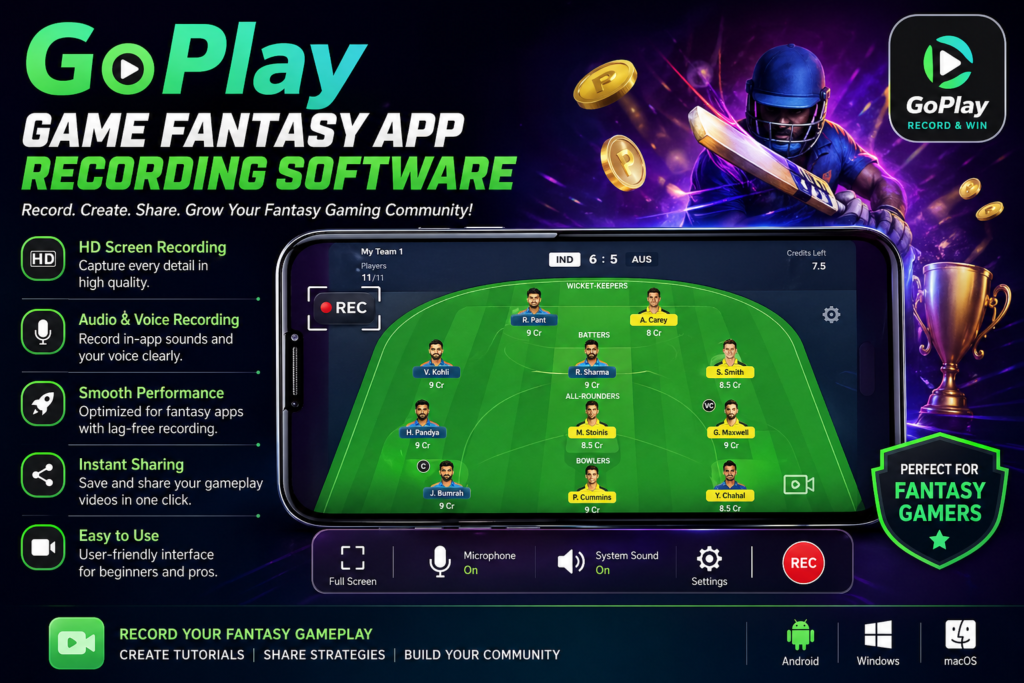
In contrast to conventional screen recorders, GoPlay prioritizes gaming performance. It reduces lag and guarantees that gameplay stays smooth throughout recording sessions. This makes it perfect for action games, racing games, battle games, and fantasy gaming content.
Main Highlights of GoPlay Recording Software
1. HD Gameplay Recording
One of the key benefits of GoPlay Recording Software is its capability to capture videos in HD quality. Gamers can clearly document every detail, resulting in videos that appear professional and visually appealing.
2. Smooth Performance
Numerous recording applications tend to hinder device performance during gaming. GoPlay software is designed to minimize performance issues, ensuring smooth gameplay even throughout extended recording sessions.
3. Easy User Interface
The software features a user-friendly dashboard suitable for beginners. Users can initiate recording with just one click, avoiding the hassle of complex settings.
4. Audio Recording Support
GoPlay enables users to record in-game sounds alongside microphone audio. This is ideal for commentary videos, tutorials, and live reactions.
5. Instant Sharing Options
Recorded videos can be swiftly shared across gaming communities and social media platforms. This assists gamers in expanding their audience more rapidly.
Reasons Gamers Choose GoPlay Recording Software
Today’s gamers require dependable recording software that provides high quality without hindering gameplay. GoPlay is exceptional as it merges speed, quality, and user-friendly controls all in one platform.
Content creators also favor this software since it enables them to produce professional gaming videos without the need for costly editing tools. The straightforward recording process not only saves time but also boosts productivity.
Additionally, its popularity can be attributed to its compatibility with various gaming genres. Whether players engage in action games, sports games, strategy games, or fantasy games, the software operates effectively.
Advantages of Utilizing GoPlay Game Recording Software
Choosing the appropriate recording software can enhance your overall gaming content experience. Here are some key advantages of using GoPlay:
Top-notch gameplay capture
Seamless recording without any lag
Convenient video sharing features
User-friendly controls for beginners
Support for audio and voice recording
Quick performance optimization
Tools for professional content creation
These advantages position GoPlay as a fantastic option for both casual gamers and professional creators.
How to Utilize Game Recording Software
Using GoPlay App Recording Software is straightforward. Just follow these simple steps:
Step 1: Install the Software
Download and set up the software on your device.
Step 2: Open the Application
Launch the software and choose your desired recording settings.
Step 3: Start Your Game
Open the game you wish to record.
Step 4: Begin Recording
Press the record button to start capturing your gameplay.
Step 5: Save and Share
When you’re done, save the video and share it online with your audience.
Top Scenarios for Utilizing Game Recording Software
This software is great for a variety of gaming activities, such as:
Capturing gameplay highlights
Producing YouTube gaming videos
Developing tutorials and guides
Broadcasting gaming sessions
Recording tournament matches
Sharing hilarious gaming moments
Thanks to its versatility, users can effortlessly create various types of gaming content.
Suggestions for Enhanced Gameplay Recording
For optimal results with GoPlay app Recording Software, users are encouraged to adhere to several key tips:
Utilize a stable internet connection for online gaming.
Shut down any unnecessary background applications.
Select the appropriate video resolution.
Check microphone audio prior to recording.
Ensure there is sufficient storage space available.
Implementing these minor adjustments can enhance the professionalism of your recordings.
Final Thoughts
GoPlay Game Recording Software is gaining popularity among gamers seeking high-quality recordings with seamless performance. Its user-friendly interface, support for HD recording, and optimization tailored for gaming make it a fantastic option for today’s content creators.
If you’re looking to capture unforgettable gaming moments, create a gaming channel, or share thrilling gameplay clips online, GoPlay Game Recording Software offers the essential tools for achieving success. With its robust features and straightforward controls, it enables gamers to transform regular gameplay into professional-grade content.